
Logistics & transportation
Logistics Fleet Management Software for High-Mileage Trucks and Vans
A logistics truck can cover more kilometres in a month than a company car covers in a year. Axpense plans each vehicle’s servicing around the kilometres it actually drives and adds up what it costs to run, so trucks stay on the road and you can see which ones are still worth keeping.
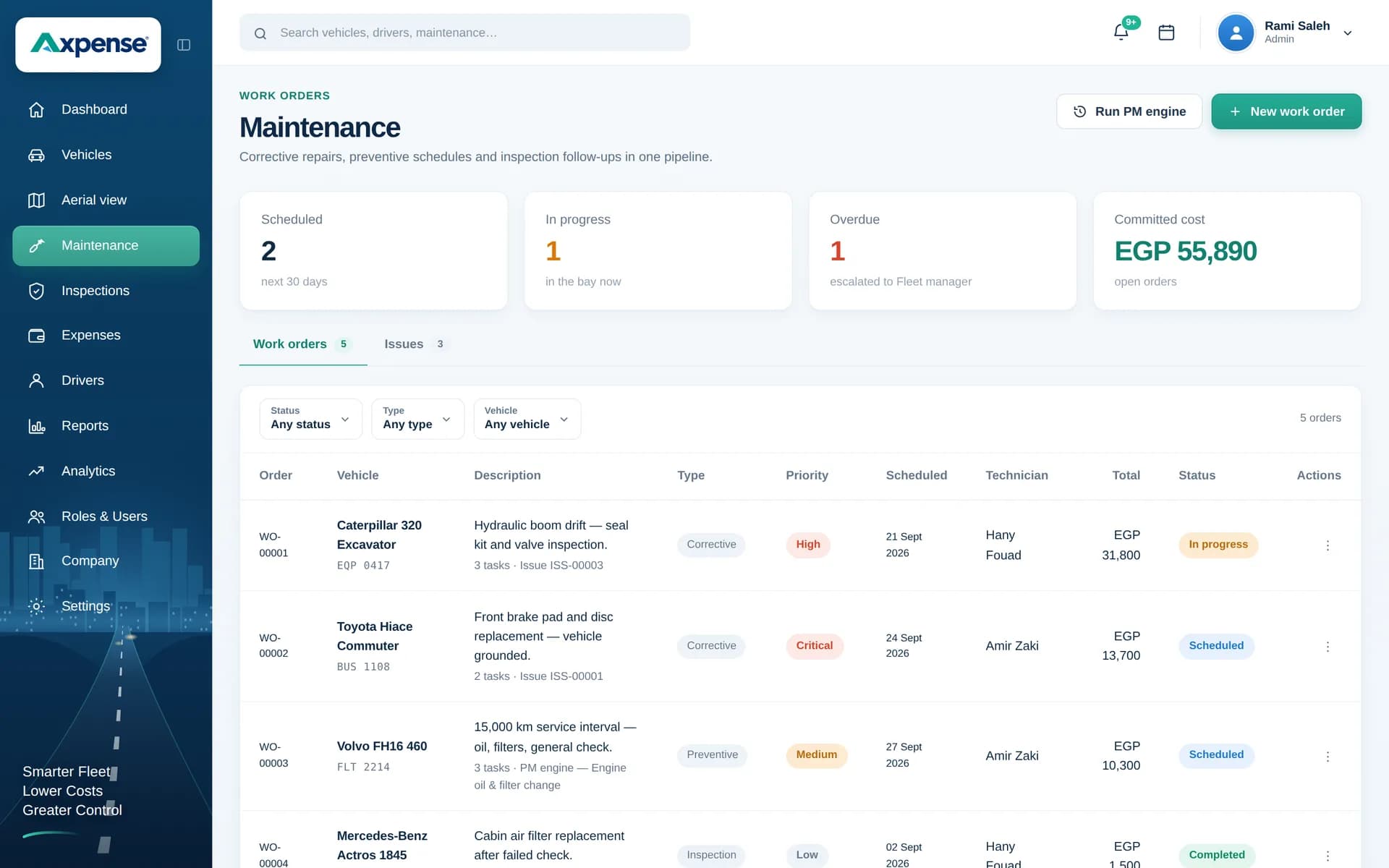
Why logistics fleets outgrow spreadsheets quickly
In logistics the vehicles are the product. When a truck is off the road the load still has to move, so a replacement is hired, another driver works overtime or the customer waits. Every missed service costs far more than the workshop invoice suggests.
- Mileage runs ahead of the calendar. An intercity truck can reach its next service in two or three weeks, so a sheet that says “service in March” is wrong by mid-February.
- The fleet is mixed. Tractor units, rigid trucks and vans each have their own intervals, parts and costs.
- Costs are split across depots. Repairs are paid at one branch, tyres at another and insurance at head office, so nobody sees the full cost of one truck.
- Drivers rotate between shifts, so it is hard to know who reported a problem and whether it was fixed.
The vehicles a logistics fleet usually runs
Most transport companies run heavy trucks and tractor units on long-haul routes, rigid trucks for regional distribution, light vans for last-mile work with many stops, and pickups or cars for supervisors and yard staff.
In Axpense each one is a vehicle record with plate, make, model, odometer reading and status. Keeping the type on the record lets you compare vans with vans and tractor units with tractor units, instead of averaging the whole fleet into one misleading number.
Maintenance needs: service by kilometre, not by date
For high-mileage vehicles, kilometres are the only reliable service trigger. Axpense stores each interval in kilometres, shows how many are left before each vehicle is due, and lists the vehicles already overdue.
The table is only an example of why date-based schedules fail in transport; always follow the manufacturer’s schedule.
| Vehicle (example) | Daily km | Example oil interval | Due roughly every |
|---|---|---|---|
| Intercity tractor unit | 600 | 30,000 km | 7 weeks |
| Regional rigid truck | 250 | 20,000 km | 11 weeks |
| Last-mile van | 150 | 10,000 km | 9 weeks |
Tyres, brake pads and filters wear fastest. Record them as spare parts and Axpense keeps track of which part went into which truck. For the wider picture, see our fleet maintenance software.
Cost needs: cost per km by route type, and the price of a day off the road
Axpense records repairs, spare parts, insurance, registration and other costs against each vehicle by category, which gives you the cost side of these figures for every truck.
Cost per km
Total operating costs for the period ÷ km driven in the period
Cost of one day off the road
Replacement hire + extra overtime + penalties or lost revenue for the day
Example: two route types
Suppose long-haul trucks cost 1,650,000 EGP last quarter over 550,000 km (3.0 EGP per km), while city vans cost 360,000 EGP over 90,000 km (4.0 EGP per km) because stop-start driving wears brakes and tyres faster. Grouping vehicles by route type makes that gap visible.
Fuel is usually the biggest single truck cost; record fill-ups on each truck’s profile in Axpense so it is part of the figure. See fuel expense tracking. The fleet cost calculator walks through the arithmetic, and fleet cost tracking shows how Axpense builds each vehicle’s cost.
Inspection needs: checks before every long trip
A defect found in the yard costs a repair; the same defect on the highway costs a tow and a late load. Logistics fleets rely on pre-trip checks of tyres and wheel nuts, brakes, lights, mirrors, fluid leaks, coupling and load securing.
In Axpense you build the checklist once and drivers or yard supervisors complete it per vehicle. Each item is marked pass or fail, and failed items are recorded on the vehicle so the workshop and fleet manager see the same list.
How a logistics team runs its fleet in Axpense
- 1
Register trucks, vans and support vehicles
Plate, make, model, current odometer and status for each, grouped by type.
- 2
Assign drivers
Link each driver to their truck, so every inspection and expense has an owner across shifts.
- 3
Set km intervals per vehicle type
Axpense counts down the kilometres left and flags vehicles that go overdue.
- 4
Run pre-trip inspections
Failed items stay on the vehicle record for the workshop to follow up.
- 5
Record every cost against the vehicle
Repairs, tyres, parts, insurance and registration, by vehicle and category.
- 6
Review monthly
Check overdue services, cost by vehicle and category, and the trucks that cost most to keep running.
Axpense modules logistics teams use most
Vehicle management
One record per truck or van with odometer, status, driver and history.
Km-based preventive maintenance
Intervals in kilometres, km left to each service and a clear overdue list.
Inspections
Pre-trip checklists with pass and fail results stored on the vehicle.
Spare parts
Tyres, pads and filters traced from purchase to the truck they were fitted to.
Expenses
Every repair and running cost recorded per vehicle and category.
Reports and dashboards
Costs and maintenance status across all depots on one screen.
KPIs worth watching in a logistics fleet
Common practice in transport companies. Some come straight from Axpense reports; others you calculate from its records.
Cost per km by route type: long-haul, regional and last-mile.
Services overdue, and by how many kilometres.
Days off the road per vehicle each month, and what they cost.
Repair and parts spend per vehicle against others of the same type.
Book value against yearly running cost, to time replacements.
Example: a regional carrier with 45 trucks
Consider a hypothetical carrier with 20 tractor units, 15 rigid trucks and 10 city vans across two depots. Services are tracked by date in a spreadsheet, and most breakdowns are reported by a driver’s phone call.
The team registers all 45 vehicles in Axpense with current odometer readings and sets intervals per type. On the first review, several tractor units show as overdue in kilometres even though the spreadsheet said “next month”, so those are booked first. Pre-trip checklists start catching worn tyres and faulty lights before departure.
After a quarter of recording costs per vehicle, the manager can compare cost per km between the three groups and see which older trucks cost most to run. With book values from vehicle depreciation and lifecycle management, that becomes a replacement plan backed by numbers.
Frequently asked questions
Can Axpense handle trucks and vans with different service intervals?
Yes. Intervals are set in kilometres per vehicle, so tractor units, rigid trucks and vans each follow their own schedule, with the km left and overdue vehicles shown clearly.
How do I calculate cost per km for my trucks?
Divide total operating costs for a period by the kilometres driven in it. Axpense adds up fuel, repairs, parts, insurance and other costs per vehicle. See our guide to vehicle cost per km.
Can drivers complete a pre-trip inspection?
Yes. You define the checklist once; each inspection records pass or fail per item, and failed items are saved on the vehicle record.
Does it work for fleets spread across several depots?
Yes. All vehicles sit in one system, so head office and each depot see the same maintenance status and costs.
How fast can a transport company get started?
Most teams are live in one day, and onboarding is free. Prices are listed on the pricing page.
Related guides
How to Calculate Vehicle Cost per km: Formula and Worked Examples
The formula for vehicle cost per km, which costs to include, worked examples in EGP and SAR, and the mistakes that make the number misleading.
Read articleHow to Build a Preventive Maintenance Schedule for Fleets Based on Kilometres
Why kilometre-based service intervals beat calendar-only schedules, and how to build a preventive maintenance schedule your fleet will actually follow.
Read articleHow to Reduce Vehicle Downtime in a Company Fleet
How to reduce vehicle downtime: measure days off the road, work out what they cost, and cut them with maintenance, inspections, parts and workshop turnaround.
Read articleSee Axpense with your own fleet
Book a short demo. We’ll set up a few of your vehicles and show you how it works day to day.