
Spare parts
Spare Parts Management for Fleets, from Purchase to Installation
Every part your fleet buys has a story: when it was bought, what it cost and which vehicle it ended up in. Axpense keeps that story, so the workshop, the store and finance all work from the same record.
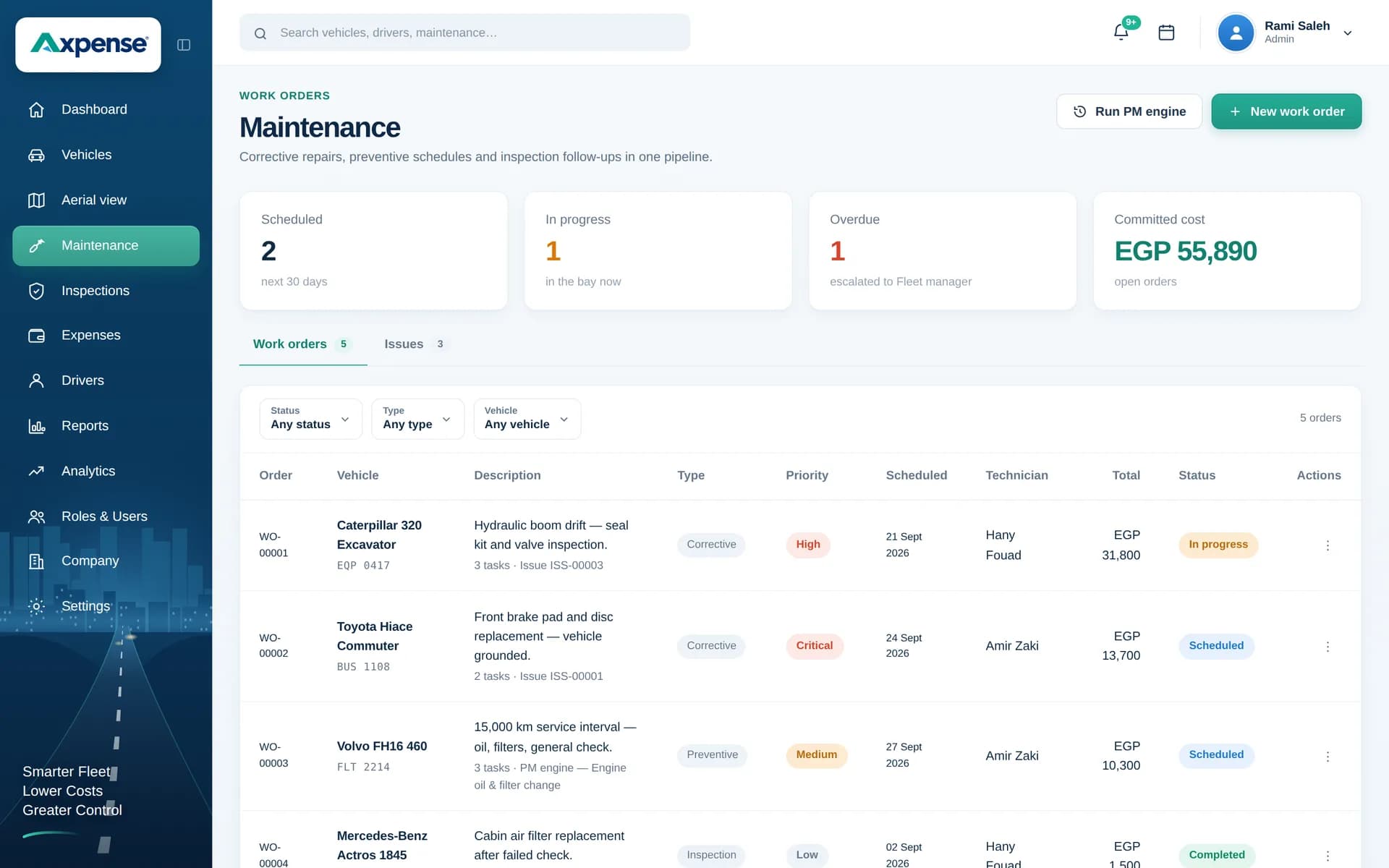
What is spare parts management for fleets?
Spare parts management for fleets is the practice of recording every part from the moment it is purchased to the moment it is installed in a vehicle, so you know where each part went and what it cost. Without it, parts disappear into the workshop, invoices sit with purchasing, and nobody can say which truck received the new alternator.
For a fleet, parts are not just stock on a shelf. They are part of each vehicle’s cost and part of its maintenance history. That is the angle Axpense takes: the parts record connects purchasing to the vehicle.
How the parts lifecycle works in Axpense
Axpense tracks each part through two moments that matter: purchase and installation.
- When a part is bought, you record it with its purchase date and cost. From then on it is on record, even while it waits on the shelf.
- When a part is installed, you link it to the vehicle it went into. The part now appears in that vehicle’s history, next to the services and inspections around it.
- Its cost moves with it. Once installed, the part’s cost counts towards that vehicle’s total, so the vehicle’s running cost reflects what was actually spent on it.
From invoice to vehicle: the workflow
The routine is short, and each step is done by the person who is already handling the part.
- 1
Record the purchase
When parts arrive, enter each one with its purchase date and cost.
- 2
Keep it on record until it is used
Parts bought for later stay visible, so the workshop can see what is already available before ordering again.
- 3
Install and link to the vehicle
When the mechanic fits the part, record the installation against the vehicle it went into.
- 4
Cost flows to the vehicle
The part’s cost is added to that vehicle’s expenses, under the spare parts category.
- 5
Review in reports
See parts spending per vehicle and across the fleet alongside every other cost category.
Parts spending next to every other cost
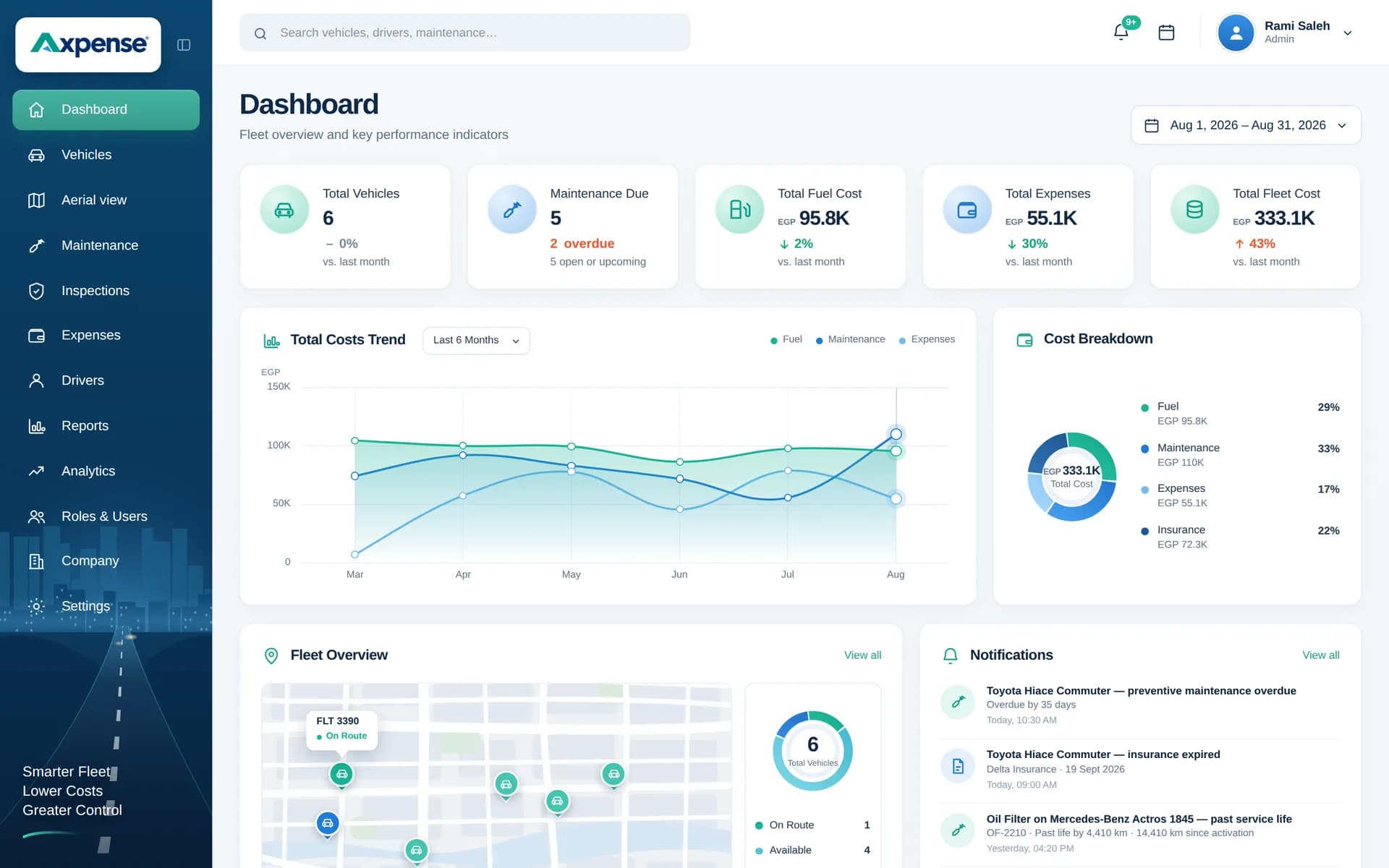
Spare parts costs appear on the dashboard with the fleet’s other expense categories.
Why it matters which part went into which vehicle
Knowing where each part was installed answers questions that come up every week in a busy workshop:
- Repeat failures: if the same vehicle needs a new part again soon after the last one, the history shows it and points to a deeper problem.
- Warranty claims: suppliers usually ask when and where a part was fitted. The installation record gives you the answer.
- Quality of parts: when one batch or brand keeps failing early, you can see which vehicles received it.
Parts cost is part of the vehicle’s cost
For example, a delivery van receives new brake pads worth 1,800 EGP and a battery worth 3,500 EGP in the same quarter. Both are installed and linked to the van, so its spare parts total for the quarter is 5,300 EGP, added to its repairs and other expenses.
That total feeds cost per km and replacement decisions. For the full picture of running costs, see fleet expense management and our fleet cost tracking page.
Using the history to plan reorders
Axpense gives you the history; the reorder decision stays with your team. A simple practice works well for most fleets: look at which parts were installed most often over the last few months, keep a small buffer of those on the shelf, and order slow-moving parts only when a job needs them.
Service reminders help too. When several vehicles of the same type are due for the same service, you know which filters and oils to have ready. Our guide to fleet spare parts management covers this in more depth.
Who uses the parts record
Workshop supervisors
Check what is already in stock and record each installation against the right vehicle.
Storekeepers and purchasing
Record purchases as they arrive and see what has been used before ordering more.
Fleet managers
Spot vehicles that consume parts faster than the rest of the fleet.
Finance
Match parts invoices to vehicles and see parts spending per vehicle and category.
Part of your maintenance system
Spare parts sit between preventive maintenance and costs. They are one module of Axpense fleet maintenance software, together with km-based preventive maintenance, service history and inspections, so a part, the service it was fitted in and the vehicle it belongs to are always connected.
Frequently asked questions
What does Axpense track for spare parts?
Each part from purchase to installation: when it was bought and at what cost, and which vehicle it was installed in. The installed part’s cost is counted in that vehicle’s expenses.
Can I see all the parts installed in one vehicle?
Yes. Installed parts appear in the vehicle’s history, so the workshop can check what was fitted before starting a new job.
Does Axpense reorder parts automatically?
No. Axpense keeps the purchase and installation history that shows which parts you use most. Many teams use that history to decide what to keep on the shelf and when to order.
How do spare parts affect the cost of a vehicle?
When a part is installed in a vehicle, its cost is added to that vehicle’s total under the spare parts category. That keeps cost per km and replacement decisions based on real spending.
Is this useful for a small fleet without a parts store?
Yes. Even if you buy parts only when a job needs them, recording each one against the vehicle keeps the history and the cost complete. See how to calculate vehicle cost per km.
Related Axpense pages
Related guides
Fleet Spare Parts Management: A Practical Guide for Fleet Managers
Fleet spare parts management in practice: which parts to stock, how much, how to record which part went into which vehicle, and how to track cost.
Read articleHow to Calculate Vehicle Cost per km: Formula and Worked Examples
The formula for vehicle cost per km, which costs to include, worked examples in EGP and SAR, and the mistakes that make the number misleading.
Read articleHow to Reduce Vehicle Downtime in a Company Fleet
How to reduce vehicle downtime: measure days off the road, work out what they cost, and cut them with maintenance, inspections, parts and workshop turnaround.
Read articleSee Axpense with your own fleet
Book a short demo. We’ll set up a few of your vehicles and show you how it works day to day.