
Vehicle inspection software
Vehicle Inspection Software for Digital Fleet Inspections
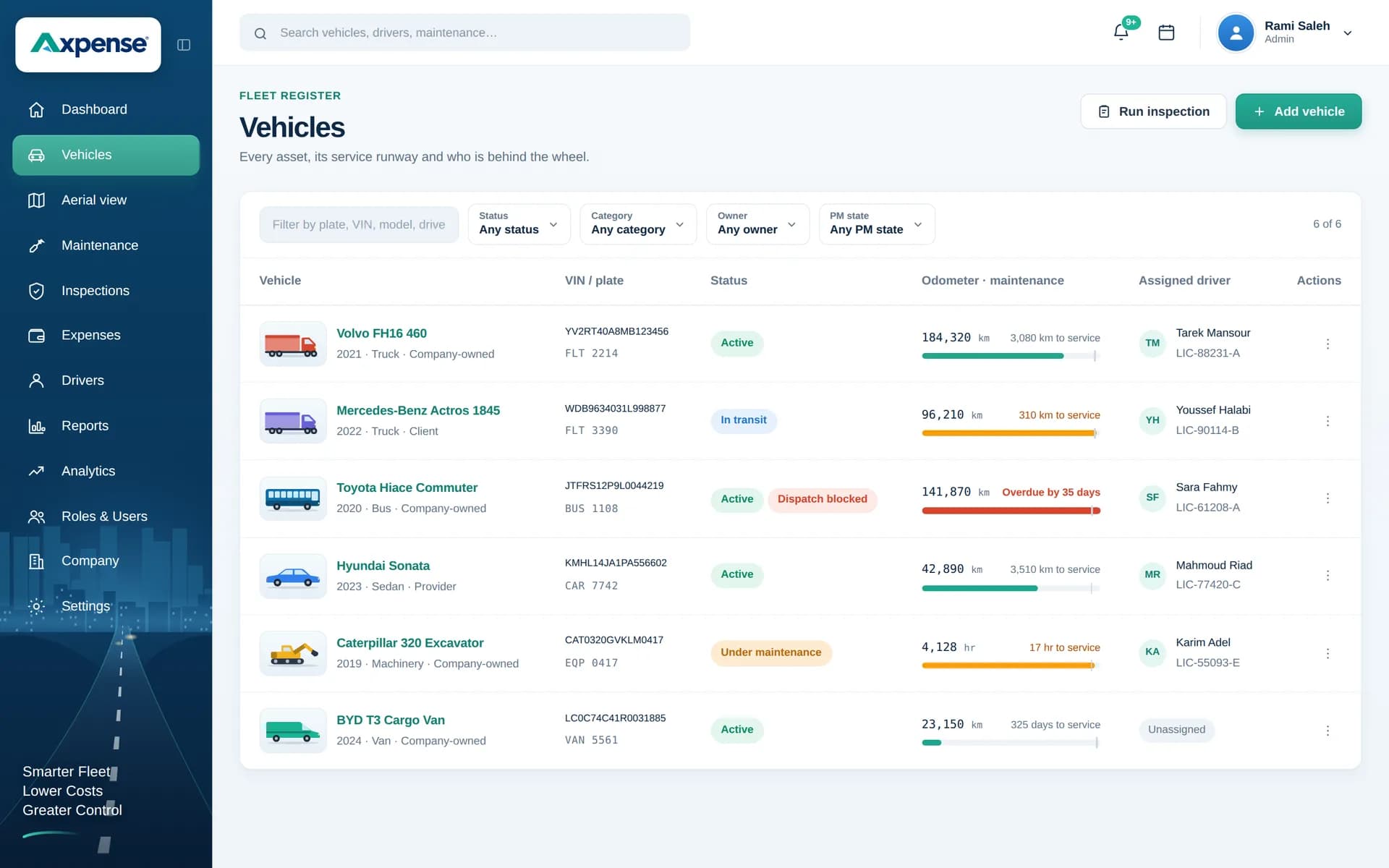
Axpense replaces paper inspection forms with digital checklists you design yourself. Every inspection is saved on the vehicle, every failed item stays on its record, and your fleet team can see what was found and what still needs attention.
What is vehicle inspection software?
Vehicle inspection software is a system for running vehicle checks from a standard checklist and keeping the results on each vehicle’s record. Instead of paper forms that end up in a drawer, each item is marked pass or fail, failed items are recorded against the vehicle, and the full inspection history is available to anyone on the fleet team.
Axpense gives fleets in Egypt, Saudi Arabia and the Middle East digital inspections that sit alongside maintenance, drivers and costs in one system.
Paper inspections vs digital inspections
Paper checklists are cheap and familiar, which is why most fleets start with them. The trouble begins after the form is filled in: someone has to read it, notice the failed items, pass them on and file the sheet. When that chain breaks, a defect a driver spotted on Sunday becomes a breakdown on Thursday.
| Paper forms | Digital inspections in Axpense | |
|---|---|---|
| Checklist | Printed copies, often out of date | One checklist you edit once and everyone uses |
| Results | Ticks that are hard to read or incomplete | Clear pass or fail for each item |
| Failed items | Depend on someone reading the form | Recorded on the vehicle’s record for follow-up |
| History | Filed in folders, rarely looked at again | Every inspection on the vehicle, searchable |
| Link to maintenance | Separate, if at all | Same vehicle record as services and costs |
| Spotting problems | Reading every form by hand | Failed items visible on each vehicle’s record |
Moving to digital inspections doesn’t mean the inspection itself changes. Drivers and supervisors still walk around the vehicle and check the same things. What changes is that the result goes somewhere useful.
Checklists you configure for your fleet
No two fleets inspect exactly the same things. A refrigerated distribution truck needs a check on its cooling unit; a construction pickup needs its load restraints and reverse alarm checked; a company sedan needs little more than tyres, lights and fluids. In Axpense you set up your own checklist items, so the inspection matches the vehicles you actually run.
A few principles make checklists work in practice:
- Keep items specific and checkable. “Tyres OK” invites a guess; “Tyre tread above the wear indicator on all tyres” can be answered pass or fail.
- Order items as people walk around the vehicle. Front, driver side, rear, passenger side, cab. It is faster and fewer items get skipped.
- Keep the daily check short. A pre-trip check that takes ten minutes gets done; one that takes forty gets rushed.
- Review the list every few months. If an item never fails and never matters, remove it. If breakdowns keep coming from something not on the list, add it.
For a ready-made starting point, download our free vehicle inspection checklist and adapt it. More on how checklists are set up is on the inspection management feature page.
Pass and fail results, and why an item failed
Each item on an Axpense checklist is marked pass or fail. A clear binary result is what makes inspections useful at scale: across a fleet of 80 vehicles, you can see at a glance which inspections came back clean and which found problems.
When an item fails, it is recorded on the vehicle’s record, so the problem does not depend on anyone remembering to pass on a message. That record is what the fleet coordinator or workshop works from when deciding what to fix and when.
Most of the “why” of a failure can be built into the checklist itself. An item written as “Brake fluid level between min and max marks” tells the reader exactly what was wrong when it fails. Write items with the failure condition in mind and your inspection records will explain themselves.
From inspection to follow-up
An inspection is only worth doing if what it finds gets dealt with. This is the path a failed item takes in Axpense.
- 1Inspection completed from the checklist
- 2Item marked as failed
- 3Failed item recorded on the vehicle’s record
Failed items stay on the vehicle’s record, so the fleet team can see what was found and follow it up with the workshop.
Inspection history and records for every vehicle
Every inspection completed in Axpense is saved on the vehicle, next to its services, parts, expenses and assigned driver. Over months that history becomes a picture of how a vehicle is really holding up.
- Recurring failures stand out. If the same van fails its lights check every fortnight, the fix is probably an electrical fault rather than another bulb.
- Driver responsibility is clearer, because inspections are tied to the vehicle and the driver assigned to it through driver management.
- Maintenance planning improves when inspection findings and service history sit on the same record. Our fleet maintenance software page explains how services are scheduled by kilometres from that same vehicle record.
When a manager, insurer or auditor asks how a vehicle has been checked, the answer is a list of dated inspections, not a hunt through filing cabinets.
Pre-trip, periodic and handover inspections
Most fleets run more than one kind of inspection. Each has a different purpose and a different checklist length.
Pre-trip (daily) checks
A short walk-around by the driver before the vehicle leaves: tyres, lights, fluids, brakes, mirrors, warning lights. It catches problems before they reach the road.
Periodic inspections
A longer check by a supervisor or technician, weekly or monthly, covering items a driver can’t assess: suspension, underbody, belts, battery condition.
Handover inspections
A check when a vehicle moves to a new driver or branch, so both sides agree on its condition at the moment of handover.
Official periodic inspection in Saudi Arabia
Separate from your internal checks, vehicles in Saudi Arabia go through the official periodic technical inspection known as الفحص الدوري. Many fleet teams keep the date and result of these official inspections on the vehicle record alongside their own inspections, so the full picture of the vehicle is in one place.
Your internal inspections are what keep a vehicle ready for those official ones: a vehicle that passes a thorough periodic check every month rarely surprises you at the government test.
What changes when inspections go digital
Everyone inspects against the same, current checklist.
Failed items are recorded on the vehicle instead of being lost on paper.
The inspection history for each vehicle is available in seconds.
Maintenance and inspection records sit together, so defects and services can be compared.
Managers can see which inspections found problems without reading every form.
Frequently asked questions
Can I set up my own inspection checklist?
Yes. You configure the checklist items yourself, so the inspection matches your vehicles and the way your team works. Many fleets start from our free vehicle inspection checklist and adapt it.
What happens when an inspection item fails?
The failed item is recorded on the vehicle’s history, so the fleet team can see it and follow it up with the workshop. It does not depend on someone passing on a paper form.
How often should fleet vehicles be inspected?
A common approach is a short pre-trip check by the driver every working day, plus a longer periodic inspection by a supervisor or technician weekly or monthly. Heavy-use vehicles and those on rough roads usually need the tighter end of that range.
Where can I see a vehicle’s past inspections?
On the vehicle’s record in Axpense. Each inspection is saved with its date and results, next to the vehicle’s services, expenses and assigned driver.
Does Axpense replace the official periodic inspection (الفحص الدوري)?
No. Official inspections are carried out by the authorised inspection centres. Axpense handles your internal inspections, and many teams also keep the date of the official inspection on the vehicle record.
How are inspections connected to maintenance?
Inspections and services are saved on the same vehicle record, so a defect found in an inspection and the service that follows sit side by side. See fleet maintenance software.
Related Axpense pages
Related guides
Daily Vehicle Inspection Checklist: What Drivers Should Check Before Every Trip
A practical daily vehicle inspection checklist for company fleets: what to check, how to finish in five minutes, and what to do when an item fails.
Read articleHow to Reduce Vehicle Downtime in a Company Fleet
How to reduce vehicle downtime: measure days off the road, work out what they cost, and cut them with maintenance, inspections, parts and workshop turnaround.
Read articleWhat Is Fleet Management Software? A Plain Guide for Growing Fleets
What fleet management software is, what it actually does day to day, who needs it, and how to tell when your spreadsheet has stopped being enough.
Read articleSee Axpense with your own fleet
Book a short demo. We’ll set up a few of your vehicles and show you how it works day to day.